
Vimeo Create
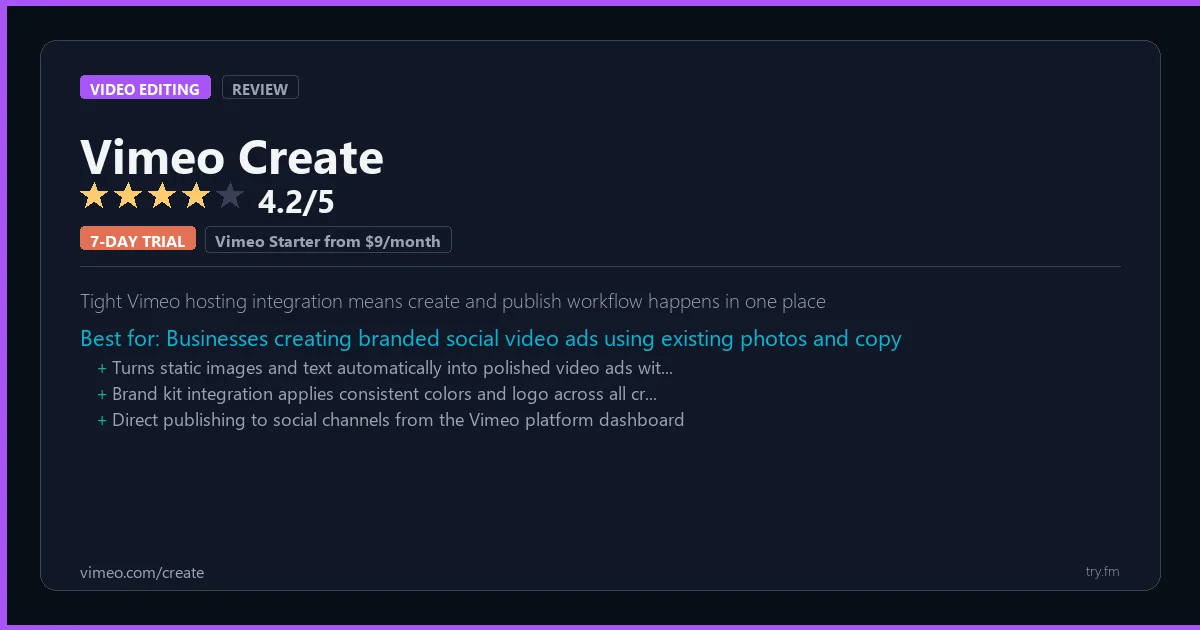
Vimeo Starter from $9/month. Plus from $20/month. Pro from $50/month (annual billing).
 Photo by MART PRODUCTION on Pexels
What is Vimeo Create?
Vimeo Create, part of the Vimeo platform at vimeo.com, is an online video maker designed for marketers and businesses who need to produce professional promotional videos quickly. Vimeo offers a template library, licensed music, stock footage, text animation tools, and seamless publishing directly to Vimeo's premium hosting platform. Vimeo Create is ideal for social ads, product demos, and email marketing videos, combining creation and high-quality hosting in one integrated workflow.
Visit https://vimeo.com/create to learn more or start your free trial.

100 AI Side Hustles You Can Start This Weekend
While you're browsing tools, thousands of people are already making money with them. Get the full list with free tools for each.
We respect your privacy. Unsubscribe anytime.
Key Features
- Template library for social and ads
- Licensed background music tracks
- Stock footage from Getty Images
- One-click social media publishing
- Advanced video hosting and analytics
- Customizable video player and privacy
Getting Started with Vimeo Create
Here is how to start using Vimeo Create today, step by step.
- Visit the website - Go to https://vimeo.com/create and click the sign-up button.
- Create your account - Sign up for the 7-day free trial to get full access. You may need to enter a credit card, but you will not be charged until the trial ends.
- Explore the dashboard - Once you are in, take 5 minutes to look around. Most video editing tools have a tutorial or onboarding flow that shows you the basics.
- Try the core feature - Start with: Template library for social and ads. This is what most people use Vimeo Create for. Spend 10 minutes trying it out to get a feel for how it works.
- Check the limits - If you are on a free tier, check what limits apply so you know when it makes sense to upgrade.
Pro Tips for Vimeo Create
- Start with the free tier - Use the full 7-day trial before deciding. Make a list of must-have features on day one and test each one during the trial.
- Use keyboard shortcuts - Most video editing tools have keyboard shortcuts that speed up your workflow. Look for them in the settings or help menu.
- Check for integrations - Vimeo Create probably connects with tools you already use. Check the integrations page to set up time-saving automations.
- Watch tutorials - Search "Vimeo Create tutorial" on YouTube for walkthroughs from other users. Seeing how real people use the tool is the fastest way to learn.
- Compare before committing - Before you pay for a subscription, try 2-3 similar tools. Our video editing tools page makes it easy to compare features.
Frequently Asked Questions About Vimeo Create
Do I need a powerful computer for Vimeo Create?
It depends on what you are editing. For short social media clips, most modern computers handle Vimeo Create fine. For 4K video or heavy effects, you will want at least 16GB of RAM and a dedicated graphics card. Cloud-based editors avoid this issue entirely.
Can Vimeo Create export in 4K?
Check the pricing page - some tools limit export quality on free plans. Most paid plans support 4K export. Our quick facts section above shows what Vimeo Create offers on each tier.
Is Vimeo Create good for beginners?
That depends on the tool. Check the description above for details on how easy Vimeo Create is to learn. Generally, tools with higher ratings tend to have better onboarding for new users.
The $0 AI Toolkit: 61 Tools That Are 100% Free Forever
Stop paying for tools with free tiers that actually work. Not trials. Not freemium traps. Actually free.
We respect your privacy. Unsubscribe anytime.
Similar Tools

Red Giant
Magic Bullet color science and Trapcode particles define broadcast motion design aesthetics
Try Free Read Review
Houdini
Highest fidelity physical simulation used in every major blockbuster VFX production
Try Free Read Review
Adobe Premiere
Most widely used professional NLE with deepest ecosystem of plugins and studio support
Try Free Read Review