
Planoly
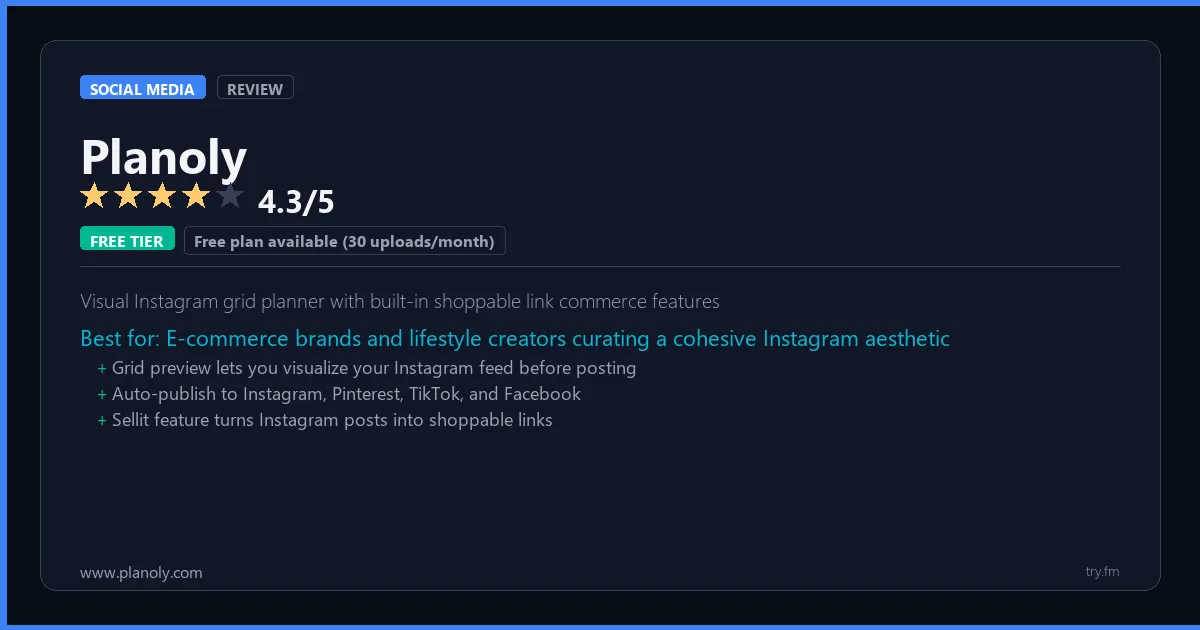
Free plan available (30 uploads/month). Starter at $13/month. Growth at $23/month (annual).
 Photo by Walls.io on Pexels
What is Planoly?
Planoly, available at planoly.com, is a visual social media planning platform focused on Instagram and Pinterest, trusted by hundreds of thousands of creators and brands. Planoly's grid planner lets users visually arrange and preview posts before publishing, ensuring a cohesive aesthetic feed. With auto-publishing, first comment scheduling, Stories planning, Linkit link-in-bio tool, and a Shopify integration for shoppable posts, Planoly is the ultimate tool for lifestyle brands and e-commerce creators.
Visit https://www.planoly.com to learn more or start your free trial.

100 AI Side Hustles You Can Start This Weekend
While you're browsing tools, thousands of people are already making money with them. Get the full list with free tools for each.
We respect your privacy. Unsubscribe anytime.
Key Features
- Visual grid planner for Instagram
- Pinterest native scheduling and publishing
- Linkit link-in-bio page builder
- First comment and hashtag scheduling
- Shopify integration for shoppable posts
- Team collaboration and approval workflow
Getting Started with Planoly
Here is how to start using Planoly today, step by step.
- Visit the website - Go to https://www.planoly.com and click the sign-up button.
- Create your account - You can sign up for the free tier without entering a credit card. This gives you access to the basic features right away.
- Explore the dashboard - Once you are in, take 5 minutes to look around. Most social media tools have a tutorial or onboarding flow that shows you the basics.
- Try the core feature - Start with: Visual grid planner for Instagram. This is what most people use Planoly for. Spend 10 minutes trying it out to get a feel for how it works.
- Check the limits - If you are on a free tier, check what limits apply so you know when it makes sense to upgrade.
Pro Tips for Planoly
- Start with the free tier - The free tier is usually enough for personal use and small projects. Only upgrade when you hit a specific limit that blocks your work.
- Use keyboard shortcuts - Most social media tools have keyboard shortcuts that speed up your workflow. Look for them in the settings or help menu.
- Check for integrations - Planoly probably connects with tools you already use. Check the integrations page to set up time-saving automations.
- Watch tutorials - Search "Planoly tutorial" on YouTube for walkthroughs from other users. Seeing how real people use the tool is the fastest way to learn.
- Compare before committing - Before you pay for a subscription, try 2-3 similar tools. Our social media tools page makes it easy to compare features.
Frequently Asked Questions About Planoly
How many social accounts can I manage with Planoly?
The number of accounts depends on your plan. Free tiers typically support 1-3 accounts, while paid plans handle 10 or more. Check the pricing details above for Planoly's specific limits.
Does Planoly support TikTok?
TikTok support varies by tool. Many social media management platforms have added TikTok scheduling and analytics in the past year. Check Planoly's feature list or website for current platform support.
Can Planoly help me grow my followers?
Social media tools help you post consistently and at the right times, which does help with growth. But no tool can guarantee follower growth - that comes from creating good content that your audience cares about.

How 50 Regular People Made Their First $1,000 with AI
A nurse. A teacher. A retiree. None of them were "tech people." See exactly how they did it, step by step.
We respect your privacy. Unsubscribe anytime.
Similar Tools

Snappa
Simplest social graphic creation tool with direct Buffer integration for instant scheduling
Try Free Read Review
Falcon Io
Audience data platform enriching social contacts with full behavioral profile data
Try Free Read Review
Magazine publishing platform with built-in audience for content discovery and organic reach
Try Free Read Review