
Remote Com
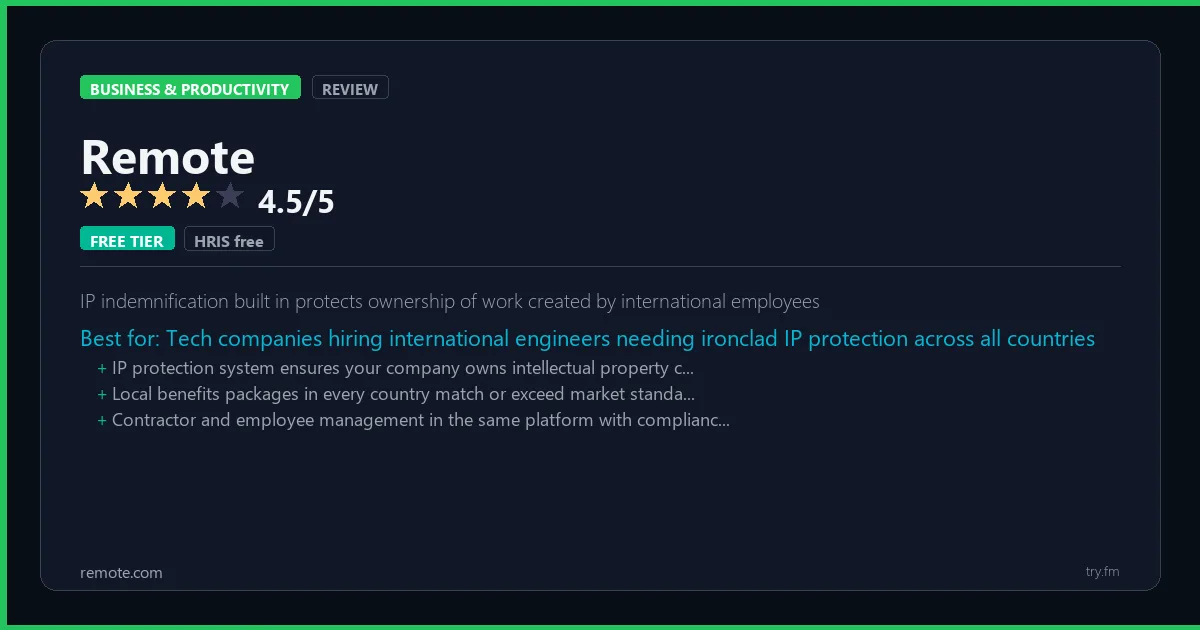
HRIS free. Contractor Management $29/contractor/month. EOR from $599/employee/month.
 Photo by Pavel Danilyuk on Pexels
What is Remote?
Remote, available at remote.com, is a global employment platform that enables companies to hire full-time employees and contractors anywhere in the world without setting up local entities. Remote owns legal entities in 75+ countries, serving as Employer of Record to handle local employment law, payroll taxes, benefits, and compliance on behalf of client companies. With a free HRIS, IP protection, and competitive EOR pricing, Remote has become a top choice for startups hiring their first international employees.
Visit https://remote.com to learn more or start your free trial.
The $0 AI Toolkit: 61 Tools That Are 100% Free Forever
Stop paying for tools with free tiers that actually work. Not trials. Not freemium traps. Actually free.
We respect your privacy. Unsubscribe anytime.
Key Features
- Employer of Record in 75+ owned entities
- Compliant contractor management
- Free HRIS for up to any number of employees
- IP and invention agreement protection
- Localized employee benefits packages
- Integrations with BambooHR, Gusto, and Workday
Getting Started with Remote
Here is how to start using Remote today, step by step.
- Visit the website - Go to https://remote.com and click the sign-up button.
- Create your account - You can sign up for the free tier without entering a credit card. This gives you access to the basic features right away.
- Explore the dashboard - Once you are in, take 5 minutes to look around. Most business tools have a tutorial or onboarding flow that shows you the basics.
- Try the core feature - Start with: Employer of Record in 75+ owned entities. This is what most people use Remote for. Spend 10 minutes trying it out to get a feel for how it works.
- Check the limits - If you are on a free tier, check what limits apply so you know when it makes sense to upgrade.
Pro Tips for Remote
- Start with the free tier - The free tier is usually enough for personal use and small projects. Only upgrade when you hit a specific limit that blocks your work.
- Use keyboard shortcuts - Most business tools have keyboard shortcuts that speed up your workflow. Look for them in the settings or help menu.
- Check for integrations - Remote probably connects with tools you already use. Check the integrations page to set up time-saving automations.
- Watch tutorials - Search "Remote tutorial" on YouTube for walkthroughs from other users. Seeing how real people use the tool is the fastest way to learn.
- Compare before committing - Before you pay for a subscription, try 2-3 similar tools. Our business tools page makes it easy to compare features.
Frequently Asked Questions About Remote
Is Remote good for small teams?
Remote works for teams of all sizes. Many business tools offer free plans for small teams (usually up to 5-10 users), then charge per user as you grow. Check the pricing section above for Remote's team plans.
Does Remote integrate with other tools?
Most business productivity tools connect with popular apps like Slack, Google Workspace, and Microsoft 365. Many also work with Zapier or Make for custom automations. Check Remote's integrations page for the full list.
Can I switch from my current tool to Remote?
Most business tools offer data import features or migration guides. Before switching, export your data from your current tool and check that Remote can import it. Try the free tier first to make sure it fits your workflow before moving your whole team.

How 50 Regular People Made Their First $1,000 with AI
A nurse. A teacher. A retiree. None of them were "tech people." See exactly how they did it, step by step.
We respect your privacy. Unsubscribe anytime.
Similar Tools

Heap
Retroactive event analysis lets you answer questions about data collected before you thought to ask
Try Free Read Review
Doodle
Best group consensus scheduling tool where participants vote on preferred meeting times
Try Free Read Review
Mailchimp
Most recognized email brand with best learning ecosystem and beginner-friendly templates
Try Free Read Review