
Tactiq
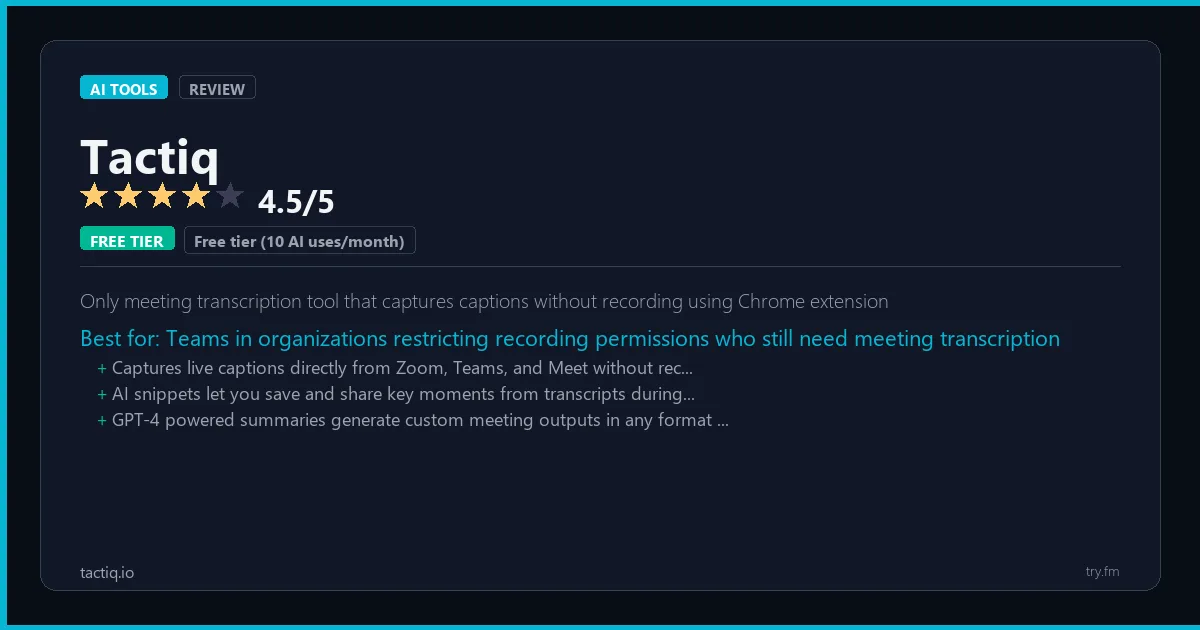
Free tier (10 AI uses/month). Pro $12/month. Team $20/user/month.
 Photo by cottonbro studio on Pexels
What is Tactiq?
Tactiq, available at tactiq.io, is a Chrome extension that provides real-time AI transcription and smart summaries for Google Meet, Zoom, and Microsoft Teams meetings directly in the browser. Tactiq's lightweight approach requires no bot joining the meeting, instead working through the browser to capture and transcribe live captions, making it invisible to other participants. The platform's AI can generate different types of meeting summaries, extract action items, and create follow-up emails directly from the transcript. Over 500,000 professionals use Tactiq as their preferred meeting assistant for its simplicity, privacy-friendly design, and the quality of its AI-generated meeting output.
Visit https://tactiq.io to learn more or start your free trial.

47 Things You Should NEVER Tell ChatGPT
Sensitive data shared with an AI tool can be hard to take back. Are you one of them?
We respect your privacy. Unsubscribe anytime.
Key Features
- Chrome extension transcription requiring no meeting bot or participant notification
- Real-time transcription for Google Meet, Zoom, and Microsoft Teams
- AI-generated summaries, action items, and follow-up email drafts
- Multiple summary templates including TLDR, decisions, and next steps
- Speaker identification for tracking who said what in meetings
- Transcript export to Notion, Slack, HubSpot, Salesforce, and Google Docs
Getting Started with Tactiq
Here is how to start using Tactiq today, step by step.
- Visit the website - Go to https://tactiq.io and click the sign-up button.
- Create your account - You can sign up for the free tier without entering a credit card. This gives you access to the basic features right away.
- Explore the dashboard - Once you are in, take 5 minutes to look around. Most AI tools have a tutorial or onboarding flow that shows you the basics.
- Try the core feature - Start with: Chrome extension transcription requiring no meeting bot or participant notification. This is what most people use Tactiq for. Spend 10 minutes trying it out to get a feel for how it works.
- Check the limits - If you are on a free tier, check what limits apply so you know when it makes sense to upgrade.
Pro Tips for Tactiq
- Start with the free tier - The free tier is usually enough for personal use and small projects. Only upgrade when you hit a specific limit that blocks your work.
- Use keyboard shortcuts - Most AI tools have keyboard shortcuts that speed up your workflow. Look for them in the settings or help menu.
- Check for integrations - Tactiq probably connects with tools you already use. Check the integrations page to set up time-saving automations.
- Watch tutorials - Search "Tactiq tutorial" on YouTube for walkthroughs from other users. Seeing how real people use the tool is the fastest way to learn.
- Compare before committing - Before you pay for a subscription, try 2-3 similar tools. Our AI tools page makes it easy to compare features.
Frequently Asked Questions About Tactiq
Is Tactiq safe to use?
Yes. Tactiq is a legitimate AI tool made by Tactiq. Like any AI tool, avoid sharing sensitive personal data (like passwords or financial info) in your prompts. Review their privacy policy if you plan to use it for business.
Can Tactiq replace a human?
Not completely. Tactiq is best used as an assistant that handles repetitive tasks and speeds up your workflow. It works best when a human reviews and edits the output. Think of it as a very fast first draft.
Does Tactiq work on mobile?
Most AI tools, including Tactiq, work in a web browser on any device. Some also have dedicated mobile apps. Check https://tactiq.io for the latest app availability.

100 AI Side Hustles You Can Start This Weekend
While you're browsing tools, thousands of people are already making money with them. Get the full list with free tools for each.
We respect your privacy. Unsubscribe anytime.
Similar Tools

Make Ai
More powerful visual automation tool than Zapier with advanced data transformation at lower cost
Try Free Read Review
Anthropic Api
Safest enterprise LLM API with the largest context window and computer use capability
Try Free Read Review
Marketmuse
Enterprise content intelligence platform that audits your entire site and maps topical authority gaps
Try Free Read Review