
Azure Openai
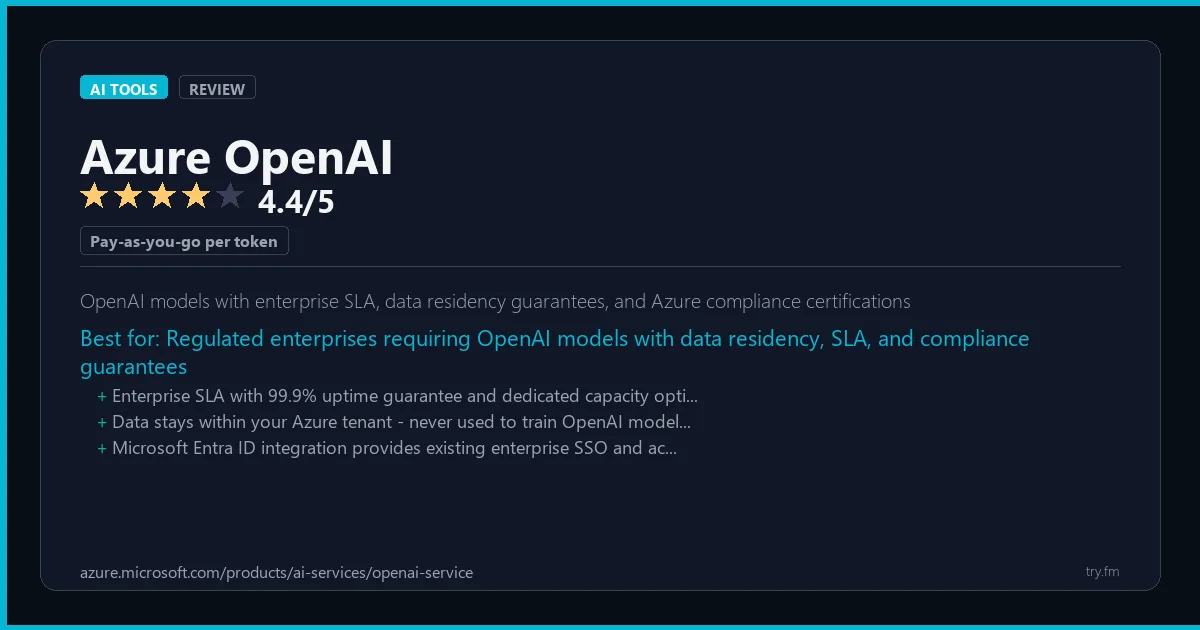
Pay-as-you-go per token. Provisioned throughput from $2 per unit per hour. Prices match OpenAI API.
 Photo by Sanket Mishra on Pexels
What is Azure OpenAI?
Azure OpenAI Service, available at azure.microsoft.com, is Microsoft's enterprise deployment of OpenAI models including GPT-4o, o1, DALL-E 3, and Whisper within Azure's secure, compliant cloud infrastructure. Enterprises that need to keep data within specific geographic regions, maintain compliance with HIPAA, SOC 2, and GDPR, or integrate AI deeply with existing Azure services choose Azure OpenAI over the standard OpenAI API. The service offers private endpoints, virtual network integration, managed identities for authentication, and content filtering policies. Organizations in regulated industries and large enterprises standardized on Microsoft's cloud ecosystem use Azure OpenAI as their primary foundation model platform.
Visit https://azure.microsoft.com/products/ai-services/openai-service to learn more or start your free trial.
47 Things You Should NEVER Tell ChatGPT
Sensitive data shared with an AI tool can be hard to take back. Are you one of them?
We respect your privacy. Unsubscribe anytime.
Key Features
- Full GPT-4o, o1, and DALL-E 3 model access within Azure security boundaries
- Private endpoints and VNet integration for data never leaving enterprise network
- HIPAA, SOC 2, ISO 27001, and GDPR compliance certifications
- Provisioned throughput units for guaranteed capacity in production workloads
- Azure Monitor integration for logging, alerting, and usage analytics
- Content filters and blocklists for responsible AI policy enforcement
Getting Started with Azure OpenAI
Here is how to start using Azure OpenAI today, step by step.
- Visit the website - Go to https://azure.microsoft.com/products/ai-services/openai-service and click the sign-up button.
- Create your account - Create an account to get started. Check the pricing page for the current plans and any promotional offers.
- Explore the dashboard - Once you are in, take 5 minutes to look around. Most AI tools have a tutorial or onboarding flow that shows you the basics.
- Try the core feature - Start with: Full GPT-4o, o1, and DALL-E 3 model access within Azure security boundaries. This is what most people use Azure OpenAI for. Spend 10 minutes trying it out to get a feel for how it works.
- Check the limits - If you are on a free tier, check what limits apply so you know when it makes sense to upgrade.
Pro Tips for Azure OpenAI
- Start with the free tier - Look for seasonal discounts or annual billing - most tools give 20-40% off if you pay yearly.
- Use keyboard shortcuts - Most AI tools have keyboard shortcuts that speed up your workflow. Look for them in the settings or help menu.
- Check for integrations - Azure OpenAI probably connects with tools you already use. Check the integrations page to set up time-saving automations.
- Watch tutorials - Search "Azure OpenAI tutorial" on YouTube for walkthroughs from other users. Seeing how real people use the tool is the fastest way to learn.
- Compare before committing - Before you pay for a subscription, try 2-3 similar tools. Our AI tools page makes it easy to compare features.
Frequently Asked Questions About Azure OpenAI
Is Azure OpenAI safe to use?
Yes. Azure OpenAI is a legitimate AI tool made by Microsoft. Like any AI tool, avoid sharing sensitive personal data (like passwords or financial info) in your prompts. Review their privacy policy if you plan to use it for business.
Can Azure OpenAI replace a human?
Not completely. Azure OpenAI is best used as an assistant that handles repetitive tasks and speeds up your workflow. It works best when a human reviews and edits the output. Think of it as a very fast first draft.
Does Azure OpenAI work on mobile?
Most AI tools, including Azure OpenAI, work in a web browser on any device. Some also have dedicated mobile apps. Check https://azure.microsoft.com/products/ai-services/openai-service for the latest app availability.

100 AI Side Hustles You Can Start This Weekend
While you're browsing tools, thousands of people are already making money with them. Get the full list with free tools for each.
We respect your privacy. Unsubscribe anytime.
Similar Tools

Descript
Only editor where you edit video and audio by deleting words from a text transcript
Try Free Read Review
Together Ai
Largest open-source model inference marketplace with the cheapest rates for LLaMA and Mistral
Try Free Read Review
Coda Ai
Document-spreadsheet-app hybrid where AI operates on live structured data inside your documents
Try Free Read Review